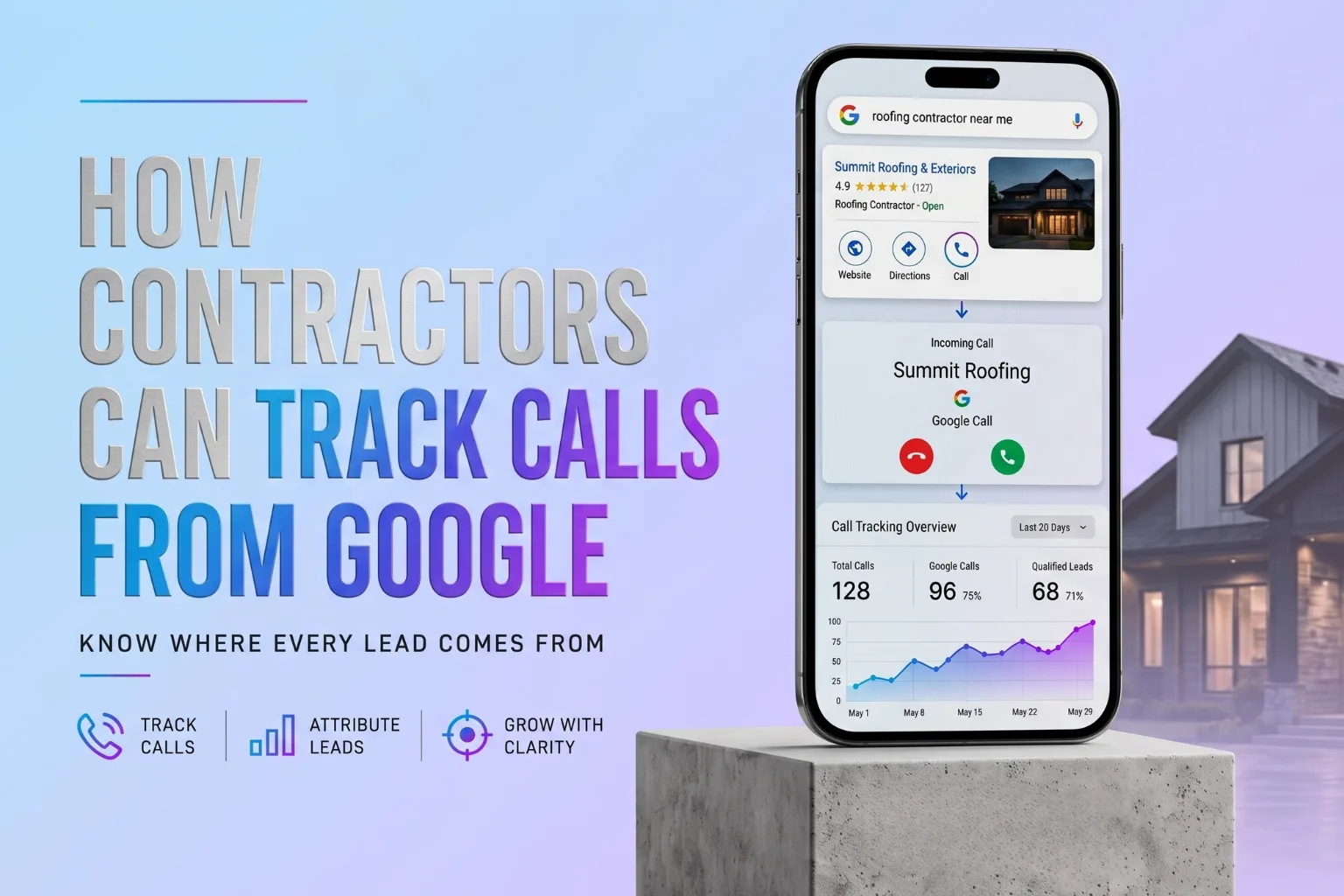
How to Track Every Lead From Your Website


In This Article
- Why website traffic alone isn't enough
- What counts as a trackable website lead
- Setting up call tracking and dynamic numbers
- Tracking forms and mobile click-to-calls
- Connecting your website to a contractor CRM
- Tracking actual closed revenue and ROI
Getting website traffic is only half the job. If a homeowner calls your roofing company, submits an estimate request, books an inspection, or asks about financing, you should be able to trace that lead back to the marketing source that created it. That is website lead tracking. Without it, the business is making advertising and marketing decisions with incomplete information.
If you're trying to figure out how to track leads from your website, the goal isn't simply to count form submissions. It's to connect each real opportunity back to the source, campaign, keyword, or page that helped create it.
A strong marketing system should do more than bring people to your website. It should help you understand where each lead came from, what action they took, which service they were interested in, which page influenced the conversion, whether the lead became a booked appointment, whether the opportunity turned into a sale, and how much revenue the marketing channel produced. That is the purpose of contractor lead attribution.
What Is Website Lead Tracking?
Website lead tracking is the process of recording when someone becomes a lead and connecting that conversion back to the digital activity that helped create it. This measurement goes beyond simply looking at a pageview chart; it aligns active user inquiries directly with marketing traffic channels.
Source attribution keeps the origin of the customer attached to the journey instead of losing it after the first click. Consider these common attribution paths:
- Google Search → roofing landing page → phone call
- Google Ads → impact window page → estimate form
- Google Maps → website → financing inquiry
- Meta ad → service page → booked consultation
The Five Things Contractors Should Track
To build a complete growth system, your website lead tracking must address five main conversion types:
- Phone Calls: Which source, campaign, keyword, or landing page generated the call?
- Website Forms: Which page or marketing source generated the submission?
- Appointment Bookings: Where did the booked lead originate?
- Messaging Leads: Clicks to WhatsApp, SMS, or live chat widgets.
- Closed Jobs And Revenue: Which original marketing source eventually became actual revenue?
A lead isn't really tracked if the trail disappears when the form gets submitted. Tracking website conversions must cover the entire path from traffic to closed revenue.
What Website Lead Tracking Looks Like For A Contractor
To see how these concepts function in the real world, review how tracking works across different contracting specialties:
Roofing Example: Google Ads to Sale
A homeowner in South Florida searches for emergency roof leak repair Fort Lauderdale. They click a paid search ad, land on a dedicated roof repair landing page, and tap the call button. The tracking system records the keyword, the ad campaign, the landing page, and the phone call. This lead moves into the CRM as an active opportunity. When the project is sold and closed, the revenue is credited back to the specific Google Ads campaign and keyword.
Impact Windows Example: Multi-Touchpoint Attribution
High-ticket home upgrades like impact windows rarely convert on the first visit. A homeowner clicks a Meta ad showing a recent window installation. They browse the website, look at financing options, and leave. Three days later, they search for the company name on Google and submit an estimate request. A basic tracking setup might credit this lead entirely to organic search. Multi-touch attribution connects the dots, showing that the Meta ad initiated the journey, while organic search completed it.
HVAC Example: The Untracked Phone Call
A homeowner searches for emergency AC repair on their phone, clicks onto your site, and immediately taps the phone number in the header without filling out a form. Without call tracking, the marketing campaign appears to have generated zero leads. With call tracking, the system attributes that phone conversation back to the organic HVAC SEO campaign that brought them there.
Pest Control Example: Location Page Conversions
A visitor lands on a localized city page, such as a [Boca Raton location page](/locations/boca-raton-contractor-website-design), reads about pest control services, and requests a free home inspection. Tracking this conversion tells the contractor which geographic sub-markets are converting, which helps align local SEO and location page strategies.
How To Track Leads From Your Website
Implementing a website lead tracking system requires a structured process that connects your digital front-end with your offline sales operations:
- Install Analytics: Deploy tracking tags like Google Analytics, Meta Pixels, and tag containers.
- Define Lead Criteria: Set up rules so that only high-intent actions (like completed bookings or forms) are counted as true lead conversions.
- Deploy Form Tracking: Ensure every form—from contact pages to detailed onboarding questionnaires—captures campaign details.
- Implement Call Tracking: Assign dynamic tracking numbers using dynamic number insertion (DNI) to attribute phone calls.
- Preserve UTM Data: Capture campaign tracking tags (UTM tracking) and store them inside cookies or form fields.
- Send Leads to CRM: Push lead source details directly into your contractor CRM alongside the contact record.
- Monitor Pipeline Status: Follow the lead through qualification, site estimates, and proposal stages.
- Connect Revenue: Map the final invoice amount of won jobs back to the original digital marketing campaign.
What Counts As A Website Conversion?
Contractors should separate conversions into three distinct categories to avoid bloating reports with low-intent clicks:
Micro Conversions
Low-intent actions that show engagement but do not represent a direct request for service. Examples include pricing calculator interactions, financing clicks, project photo gallery views, or clicking a button without completing the step.
Lead Conversions
High-intent actions where a visitor submits their contact details. Examples include completed estimate requests, booked inspection appointments, submitted contact forms, or completed phone calls lasting over 60 seconds.
Revenue Conversions
The ultimate business outcomes. Examples include a qualified opportunity, a sent estimate proposal, a sold contract, and closed revenue.
Not every click is a lead, and not every lead is revenue. Your tracking system should know the difference.
Where Did The Lead Actually Come From?
Understanding marketing channels helps you know where to deploy your growth capital. Common sources include:
- Organic Google Search: Visitors finding your website via standard unpaid search results.
- Google Ads: High-intent leads driven by paid search campaigns.
- Google Maps / Google Business Profile: Map pack phone calls and profile link clicks.
- Meta (Facebook & Instagram): Leads from paid social campaigns and organic posts.
- Direct & Referral Traffic: Visitors typing your URL directly or clicking links from external websites.
- Email & Local Campaigns: Links clicked in newsletter newsletters or local outreach.
If a contractor spends money across Google and Meta, they should be able to compare which channels generated actual calls, forms, appointments, opportunities, and sold jobs. Simple UTM parameters make this campaign comparison possible.
Why Basic Analytics Can Make A Contractor Think Marketing Isn't Working
Consider this hypothetical scenario: A remodeling contractor runs campaigns for three months, resulting in the following website numbers:
- 1,200 website visitors
- 18 form submissions
- 46 phone calls
- 9 booked appointments
- 4 sold jobs
- $68,000 in closed revenue
If the contractor's basic analytics system only tracks the 18 form submissions, the marketing campaigns may appear unsuccessful. The contractor might conclude that the website isn't working. In reality, the website generated 64 total conversions and $68,000 in revenue—but the measurement system wasn't set up to connect phone calls and CRM outcomes. The issue wasn't the marketing; it was the tracking setup.
What Information Should Follow A Website Lead Into Your CRM?
To evaluate marketing performance, a CRM lead record should store the following data points:
- Contact details (Name, Phone, Email)
- Specific service requested (e.g., HVAC repair vs. replacement)
- Original marketing source and campaign name
- UTM parameter data (source, medium, campaign, term)
- First landing page visited
- Call or form source identifier
- Lead status (Qualified, Estimate Sent, Sold, Closed)
- Estimated job value and final closed revenue
Marketing attribution becomes more useful when the lead continues through the sales pipeline. For more details on integrating these systems, see our guide on [Conversion & Sales Tracking](/services/conversion-sales-tracking).
Traffic Without Tracking Leaves A Hole In The Growth System
At Zeus Media, we help contractors build growth systems based on the Five Levels framework: Visibility → Trust → Conversion → Tracking → Scaling. This framework demonstrates how different marketing activities connect to support one another.
A contractor can get found (Visibility), build credibility (Trust), and generate an inquiry (Conversion). But if the business does not track what created that inquiry (Tracking), it becomes difficult to confidently allocate budget to scale what worked (Scaling). Tracking connects your marketing investments directly to your business growth.
To build a strong foundation, ensure your website uses a high-performance [Contractor Website Design](/services/contractor-website-design), optimized [Local SEO](/services/local-seo), and [Google Business Profile Optimization](/services/google-business-profile) to drive clean, trackable inquiries.
Frequently Asked Questions
Frequently Asked Questions
How do I track leads from my website?
What is website lead tracking?
Can Google Analytics track website leads?
How do I track phone calls from my website?
How do I know whether a lead came from Google Ads or SEO?
What website conversions should contractors track?
Do I need a CRM to track website leads?
Can I track which marketing source generated a closed job?
Joshua Johnson specializes in contractor marketing across South Florida, helping roofing, HVAC, and remodeling companies rank higher and generate more leads through local SEO and conversion-focused websites.
Related Resources