How Contractors Can Track Calls From Google

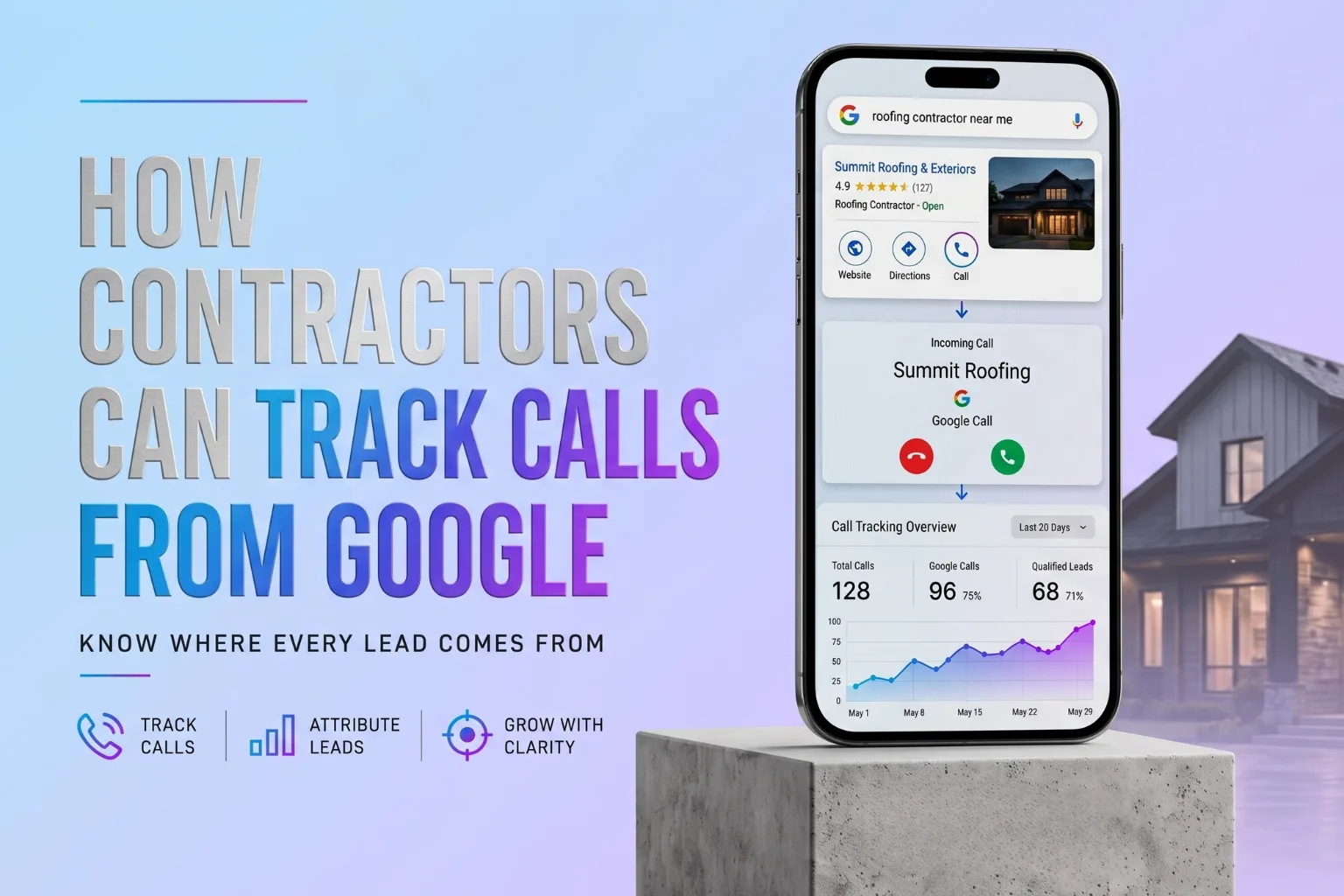
In This Article
- Why phone call tracking is the most critical metric for contractor marketing
- How to trace calls from Google Business Profile, Organic Search, and Google Ads
- Why Google Business Profile no longer stores full customer call history
- Setting up dynamic number insertion to trace website calls back to their sources
- Connecting calls directly to your CRM to track closed job revenue and ROAS
For most contractors, phone calls are still the money channel.
A homeowner may browse your website. They may check your reviews. They may look at your photos. But when they are ready to take action, many of them do the same thing: they call.
That is especially true for roofing companies, HVAC contractors, plumbers, electricians, impact window companies, pool builders, remodelers, and other home-service businesses.
The problem is that most contractors do not know where those calls actually came from. They may know the phone rang. They may know the customer said, "I found you on Google." But that does not tell the full story.
Did the customer call from Google Maps? Did they click from your Google Business Profile? Did they come from an organic search result? Did they click a Google Ad? Did they visit your website first and then call? Did they find a service page, a location page, or a blog post?
Without call tracking, all of those leads get lumped together. That makes it harder to know which marketing channels are working, which campaigns deserve more budget, and where your business is losing opportunities.
This guide breaks down how contractors can track calls from Google more accurately and connect those calls to real business outcomes. For a complete overview of local campaign attribution and how tracking connects to revenue, browse our contractor conversion tracking resources.
Why Google Call Tracking Matters for Contractors
Google is often one of the most important lead sources for contractors.
A homeowner may search: roofer near me, HVAC repair in Fort Lauderdale, plumber in Boca Raton, impact window company Miami, pool builder near me, or electrician West Palm Beach.
When your business appears, the customer may call from several different places. They may call directly from your Google Business Profile. They may click your website and call from there. They may call from a Google Ad. They may tap your phone number from a mobile search result.
If you are not tracking those calls, you are missing a major part of your lead flow.
This matters because contractors often spend money on local SEO, Google Ads, Google Business Profile optimization, contractor website design, location pages, service pages, content marketing, and retargeting campaigns.
But if the phone calls are not tracked properly, you cannot clearly connect marketing activity to real opportunities. That is where call attribution becomes important.
The Main Ways Contractors Receive Calls From Google
Before setting up tracking, you need to understand the different places calls can come from.
1. Calls From Google Business Profile
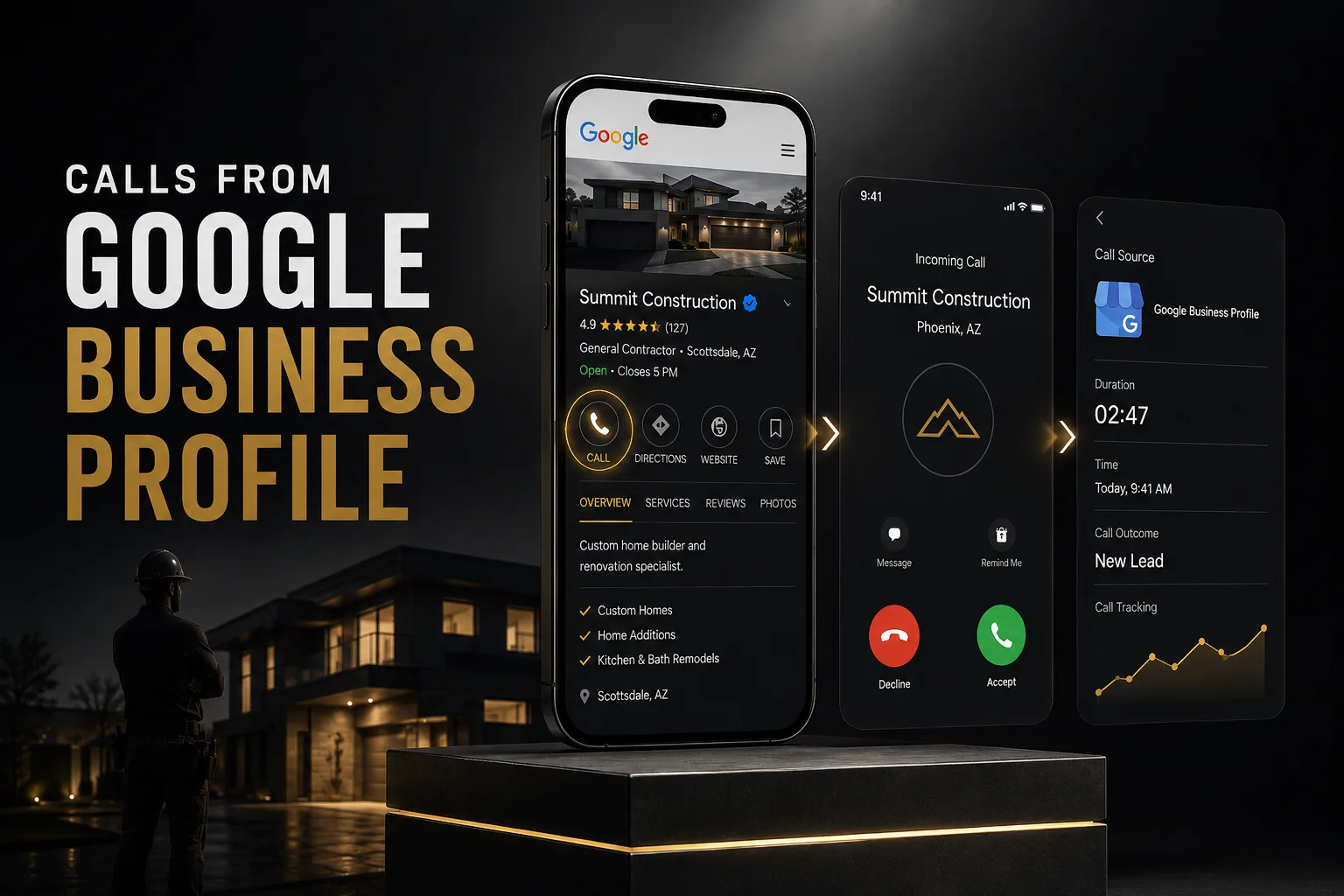
Your Google Business Profile is one of the most important call sources for local contractors. When someone finds your business in Google Maps or local search results, they may tap the call button directly from your profile.
These calls may never touch your website. That means your website analytics alone will not capture them. This is why relying only on website data is a mistake. Your Google Business Profile may be generating real phone calls even if your website traffic looks flat.
For contractors investing in Google Business Profile optimization, tracking these calls matters because Maps visibility can directly influence call volume, estimate requests, and booked jobs.
2. Calls From Organic Search
Organic search calls usually happen when someone finds your website through a non-paid Google result.
For example, a homeowner searches "roof replacement Boca Raton," clicks your service page, reviews your company, and taps the phone number on your website.
This type of call should be tracked through website call tracking. Organic search calls are especially important because they often connect directly to local SEO for contractors, service page performance, location page visibility, and long-term search authority.
3. Calls From Google Ads
Google Ads can generate calls in multiple ways. Someone may call directly from the ad using a call asset. They may click the ad, visit your landing page, and call from the website. They may click from a mobile ad and tap the phone number immediately.
If you are paying for Google Ads, call tracking is not optional. You need to know which campaigns, keywords, and landing pages are producing real phone calls. Otherwise, you may be spending money on clicks without knowing whether those clicks are turning into actual conversations.
4. Calls From Google Maps
Google Maps calls are closely tied to your Google Business Profile, but they deserve special attention. For contractors, Maps visibility can drive high-intent leads because the customer is usually comparing local companies.
If your profile has strong reviews, clear services, good photos, and an easy call button, Google Maps can become a serious lead source. But again, if those calls are not tracked, you may underestimate how much value your profile is creating.
Step 1: Track Google Business Profile Calls
Start with your Google Business Profile performance data.
Inside your Business Profile, Google provides performance information that can show interaction trends across Search and Maps, but it should not be treated as a full call tracking or customer call history system.
For contractors, the most important GBP actions are usually: Calls, Website clicks, Direction requests, Messages (when available), and Booking clicks (when available). This gives you a starting point. But there is a limitation. Google Business Profile performance data can help you understand interaction trends, but it may not give you the full call attribution picture you need to connect calls to booked jobs and revenue.
Google Business Profile no longer provides full customer call history inside the profile. Google discontinued Business Profile chat and call history as of July 31, 2024, which means contractors should not rely on GBP alone for serious call attribution. GBP performance data can still help you understand customer interaction trends, but if you want to know which calls became appointments, quotes, jobs, and revenue, you need third-party call tracking connected to your CRM.
Step 2: Use a Dedicated Tracking Number for Google Business Profile
One way to track calls from Google Business Profile more clearly is to use a dedicated tracking number for your GBP listing. This allows you to separate GBP calls from website calls, ad calls, referral calls, and other sources.
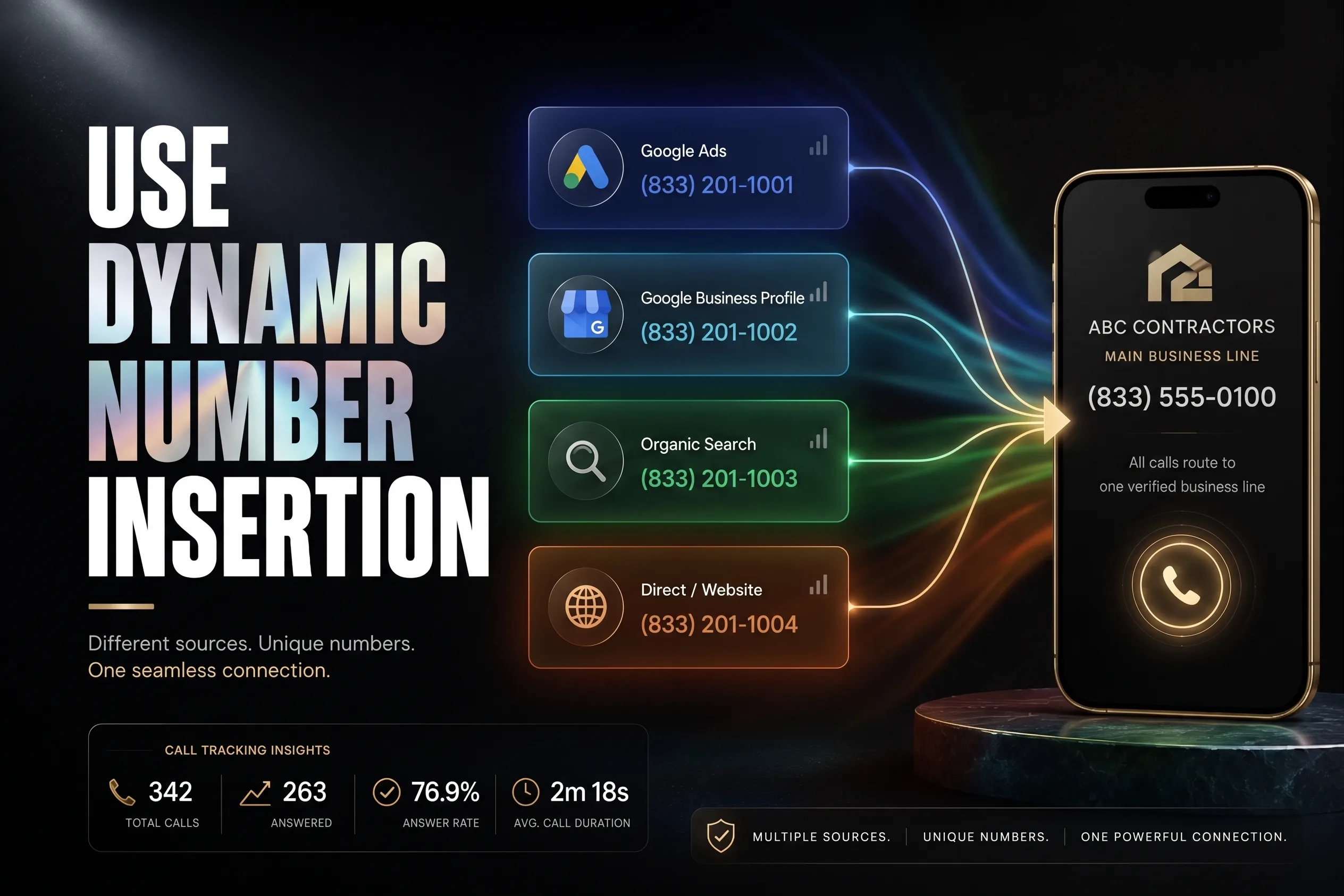
For example, you can assign Google Business Profile to Tracking Number A, Website Organic Traffic to Tracking Number B, Google Ads to Tracking Number C, and Facebook Campaigns to Tracking Number D. Each number routes to your real business phone number, but the tracking platform records the original source. That lets you see whether Google Business Profile is actually producing calls.
Important NAP Note
Contractors often worry that using tracking numbers will hurt NAP consistency (Name, Address, Phone Number). The concern is valid. If your business phone number is inconsistent across the web, it can create confusion.
The cleaner approach is to use the tracking number as the primary number on your Google Business Profile, keep your real business number listed as an additional phone number where appropriate, keep your core business information consistent across major directories, and avoid randomly using different numbers across every citation. The goal is to track calls without making your business identity messy. Tracking should create clarity, not chaos.
Step 3: Track Calls From Your Website
Many Google calls happen after someone clicks from Search or Maps to your website. That is where website call tracking matters.
At minimum, you should track: Header phone number clicks, Sticky mobile call buttons, Footer phone number clicks, Contact page phone clicks, Emergency service call buttons, Quote request call buttons, and Calls from landing pages.
For contractors, mobile call tracking is especially important. A homeowner dealing with a roof leak, broken AC, plumbing issue, electrical problem, or urgent repair is often searching from a phone. They may not fill out a form, and they may not read the whole site; they may simply tap the call button. That tap should be tracked as a conversion.
If you want the bigger picture, this should connect back to how to track every lead from your website, not just calls from one source.
Step 4: Use Dynamic Number Insertion
Dynamic number insertion is one of the best ways to track website calls by source.
Here is how it works: your website displays a different phone number depending on how the visitor arrived. A visitor from Google Ads sees a Google Ads tracking number, an organic search visitor sees an organic search tracking number, a Google Business Profile visitor sees a GBP tracking number, and a Facebook visitor sees a social media tracking number.
All of these numbers can still route to your main business line. The customer experience stays simple. Behind the scenes, your tracking system records the source.
This helps you answer questions like: Are Google Ads calls better than organic SEO calls? Which service pages generate the most phone leads? Are location pages driving calls? Is Google Business Profile producing more calls than the website? Which campaigns are creating real opportunities?
Without dynamic number insertion, all website calls may look the same. With it, you can start seeing which traffic sources actually produce leads.
Step 5: Set Up Google Ads Call Tracking
If you run Google Ads, call tracking needs to be handled carefully.
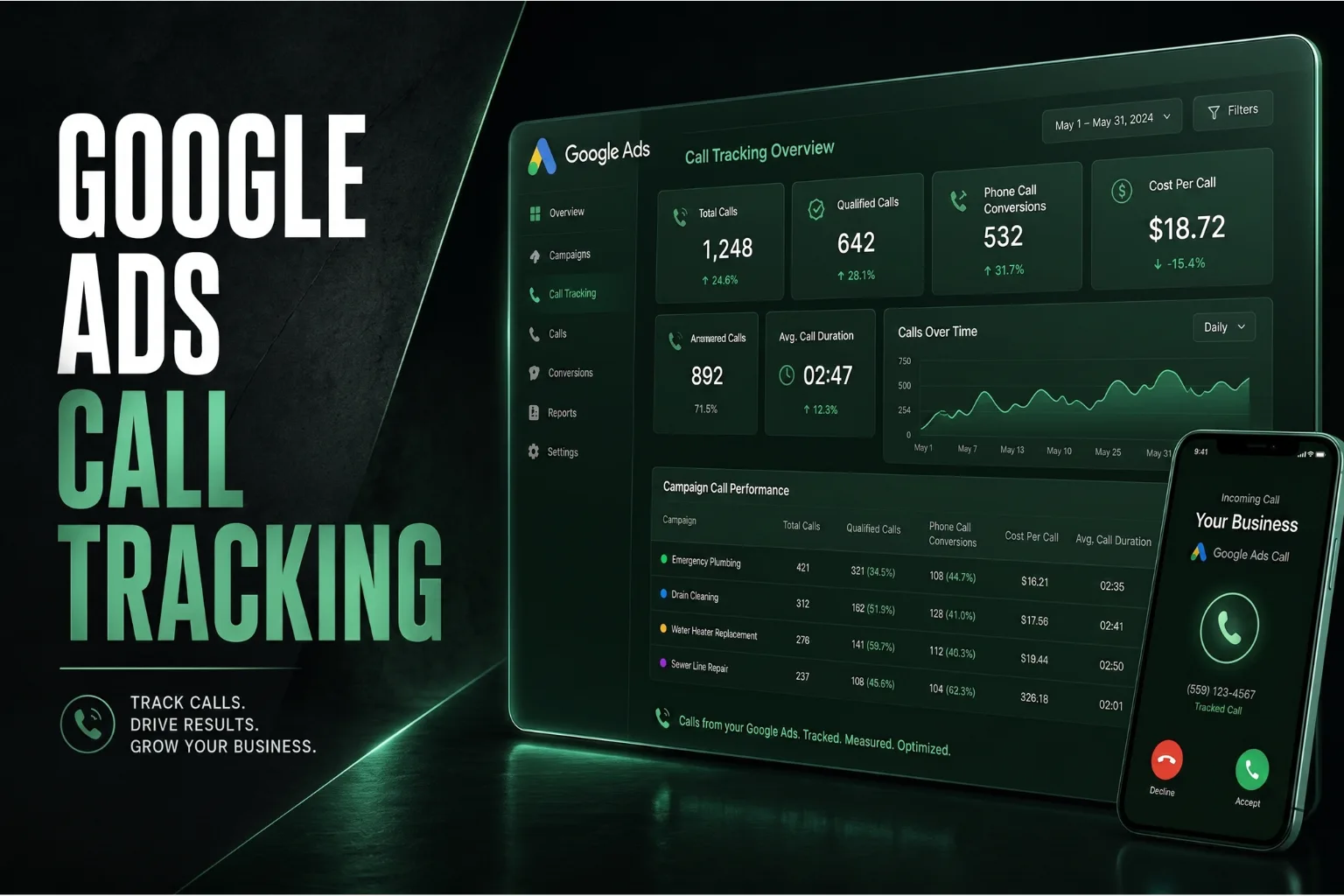
Google Ads can track calls from call assets and call ads. Call assets allow phone numbers to appear with ads so users can call directly from the ad. Google Ads call reporting can also use Google forwarding numbers to measure call performance.
For contractors, this can help track: Calls from ads, Call duration, Caller area code, Missed or received calls, Phone-through rate, Campaign source, Ad group performance, and Call conversions.
This is extremely useful because not every paid click produces the same value. One campaign may generate a lot of cheap clicks but very few quality calls. Another may generate fewer clicks but more estimate requests and booked jobs. Call tracking helps you tell the difference.
Step 6: Define What Counts as a Qualified Call
Not every call should count as a real lead.
Some calls are spam. Some are vendors. Some are existing customers. Some are people asking for jobs. Some are wrong numbers. That is why contractors should define what counts as a qualified call.
For example, you may decide that a qualified call is: A first-time customer call from a real service-area prospect lasting at least 60 seconds related to a service you offer. You can adjust this based on your business.
For emergency services, shorter calls may still be valuable. For remodeling, roofing, impact windows, pool construction, or large-ticket projects, longer calls may be a better signal of quality. The point is simple: do not measure every ring like it has equal value. Track quality, not just volume.
Step 7: Connect Calls to Your CRM
Call tracking becomes much more powerful when it connects to your CRM.
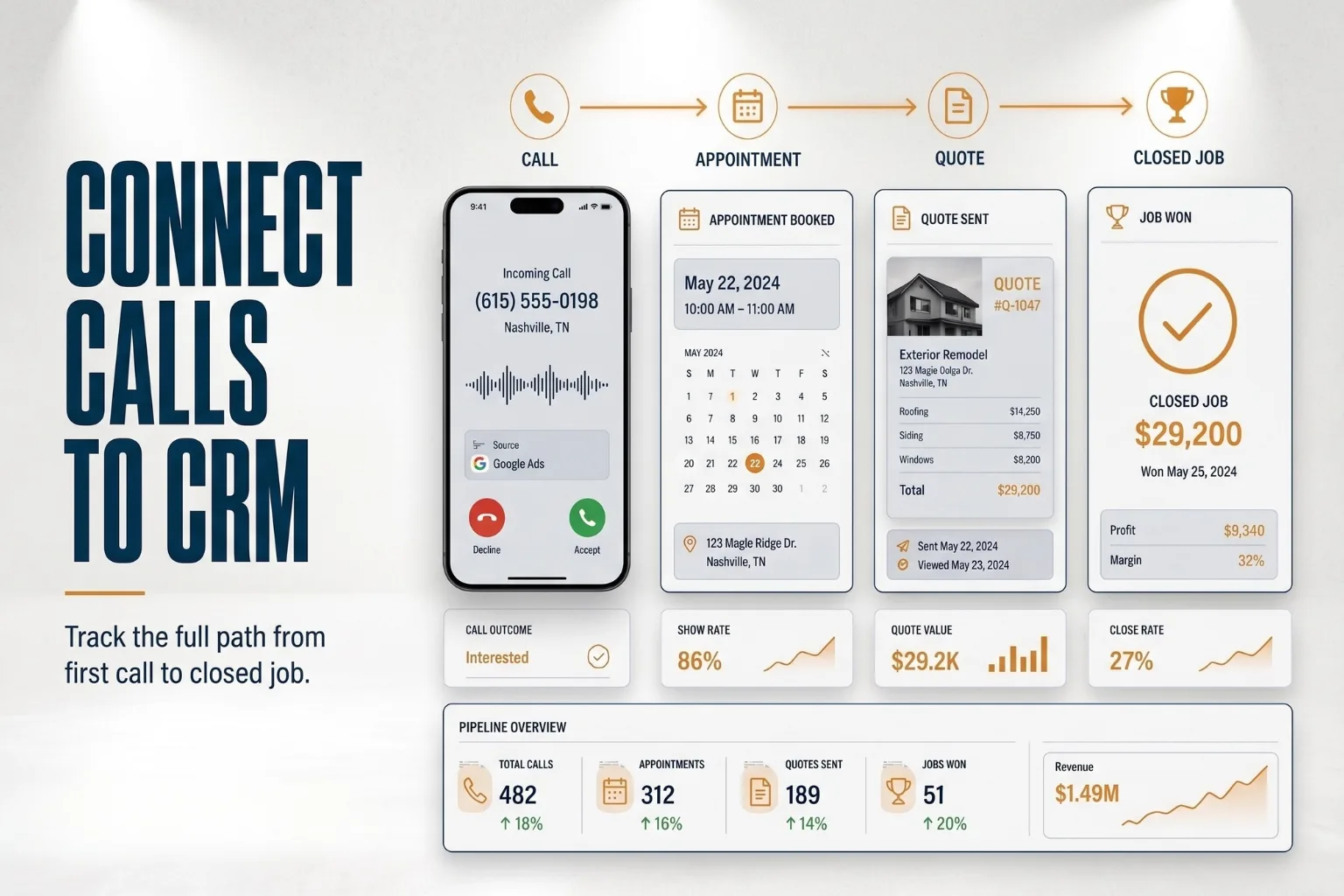
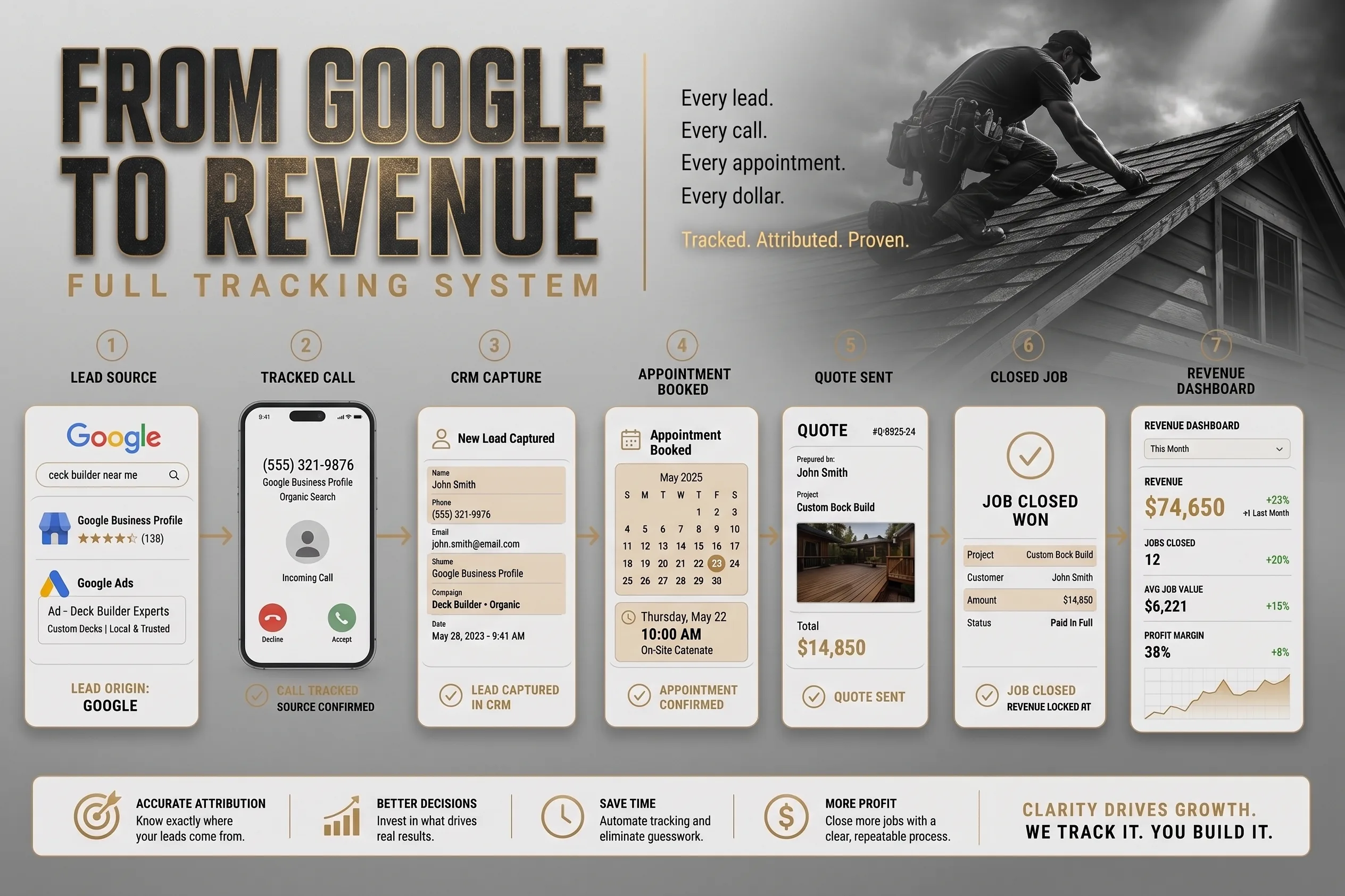
A call by itself tells you someone reached out. A CRM tells you what happened next. The real path looks like this: Google Search → Website Visit → Phone Call → CRM Record → Appointment Scheduled → Quote Sent → Job Closed → Revenue Tracked. That is the level of visibility contractors should be aiming for.
Without CRM tracking, you may know that Google generated 100 calls, but you may not know how many were qualified, how many became appointments, how many received quotes, how many closed, how much revenue came from those calls, and which campaigns produced the best jobs.
That is where real contractor lead tracking starts to separate itself from basic reporting. This is also where conversion and sales tracking becomes more valuable than basic website analytics.
Step 8: Track Missed Calls
Missed calls are one of the most painful leaks in a contractor business.
A company can spend money on local SEO, Google Ads, Google Business Profile optimization, and website improvements only to miss the call when the customer is ready. That is brutal, and it happens more often than most businesses want to admit.
Tracking missed calls helps you understand: How many opportunities were lost, What time calls are being missed, Which channels generate missed calls, Whether you need better call handling, and Whether after-hours response is costing revenue.
For home-service contractors, missed calls can be expensive. If someone has an urgent need, they may not leave a voicemail; they may call the next company.
Step 9: Listen to Call Recordings
Call recordings can reveal what dashboards cannot.
They help you understand: Whether leads are qualified, How your team answers the phone, What questions customers ask, Which objections come up most often, Whether callers are asking about pricing, Whether calls are being handled professionally, and Whether the lead source is producing good-fit customers.
This is not about micromanaging your team. It is about improving the sales process. For contractors, the phone call is often the first real sales conversation. If that call is weak, the marketing investment gets wasted.
Step 10: Review Call Data Monthly
Tracking only matters if you actually review the data.
Each month, contractors should look at: Total calls, Calls by source, Qualified calls, Missed calls, Booked appointments, Quotes sent, Jobs closed, Revenue by source, Cost per qualified call, Return on ad spend, Best-performing campaigns, Best-performing pages.
This turns marketing from guesswork into a scoreboard. Instead of asking, "Are we getting more leads?" You can ask better questions: Which Google channels are producing the best calls? Which pages are creating the most phone leads? Which cities are producing stronger opportunities? Which campaigns should we scale? Which calls are being missed? Which services generate the highest-value conversations?
That is how contractors make smarter growth decisions.
Common Call Tracking Mistakes Contractors Should Avoid
Call tracking is powerful, but it needs to be set up correctly. Avoid these common mistakes.
Using One Number Everywhere
If the same number is used across every source, attribution becomes limited. You may still get calls, but you will not know where they came from.
Only Tracking Google Ads
Google Ads matters, but it is not the only call source. Google Business Profile, organic search, location pages, service pages, and referral campaigns can all generate calls.
Ignoring Google Business Profile Calls
Many contractors underestimate GBP because they only look at website analytics. But if customers are calling directly from Maps, the website may never get the visit.
Not Tracking Missed Calls
A missed call is still a marketing signal. It means the demand was there, but the business failed to capture it.
Not Connecting Calls to Revenue
Lead volume is not the finish line. Revenue is. If a source generates fewer calls but larger jobs, that source may be more valuable than a campaign producing lots of low-quality inquiries.
Final Thoughts
Contractors should not have to guess where their calls are coming from.
Google can generate calls from Search, Maps, Google Business Profile, Google Ads, and website visits. But unless those calls are tracked properly, the business owner only sees part of the picture.
A strong call tracking system should show: Which Google channels generate calls, Which calls are qualified, Which calls become appointments, Which appointments become quotes, Which quotes become jobs, and Which jobs generate revenue.
That is the difference between basic marketing reporting and real lead attribution.
For contractors, the goal is not just more calls. The goal is knowing which calls matter, where they came from, and how they contribute to growth.
When your website, Google Business Profile, call tracking, CRM, and sales process work together, you get something most contractors do not have: Clarity. And clarity is what lets you scale with confidence.
Frequently Asked Questions
Why doesn't my contractor website generate leads?
What makes a contractor website successful?
How much should a contractor website cost?
How often should contractor websites be redesigned?
Is SEO enough to generate leads?
Why is mobile optimization important?
Do contractor websites need location pages?
How can I improve my website conversion rate?
Joshua Johnson works with premier South Florida roofing, HVAC, window, and outdoor living contractors to build high-converting websites and claim the top positions on search engines.
Related Resources


